
Flawless frontline management for
Manufacturers
Easy management of attendance, shifts, payroll, business communication, checklists and employee tasks in one powerful platform

 Clockster LLP















Attendance tracking and timesheets
Get accurate data on employee check-ins, check-outs, and breaks
Mobile application
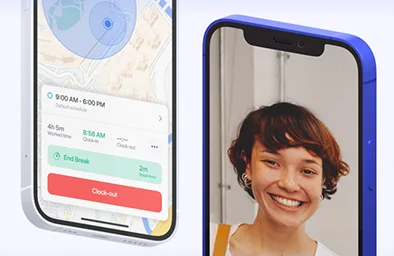
Monitor check-ins and check-outs with just a few clicks, providing management with instant access to real-time attendance data
Selfie check-ins are captured in real-time, preventing use of gallery photos

Notifications
Receive notifications for absences, new schedules, announcements, and more—along with timely reminders for check-ins before and after shifts
Geofencing
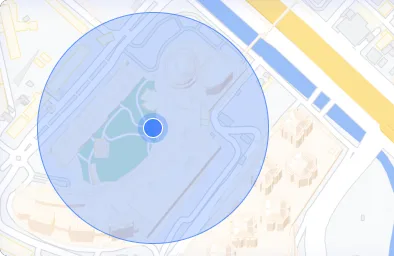
Set a marking radius to prevent employees from checking in outside the location. Supports multiple locations with a radius of 50 to 700 meters

Anti-fraud
Employee accounts are tied to a single device, ensuring secure access and preventing login sharing
Biometric hardware
Integration with various facial recognition terminals from:



Excel reports
Download attendance data in Excel format with customizable filters for detailed analysis
Flexibility in shift management
Easily create schedules tailored to any type of work and specific conditions
Advanced Shift Management System
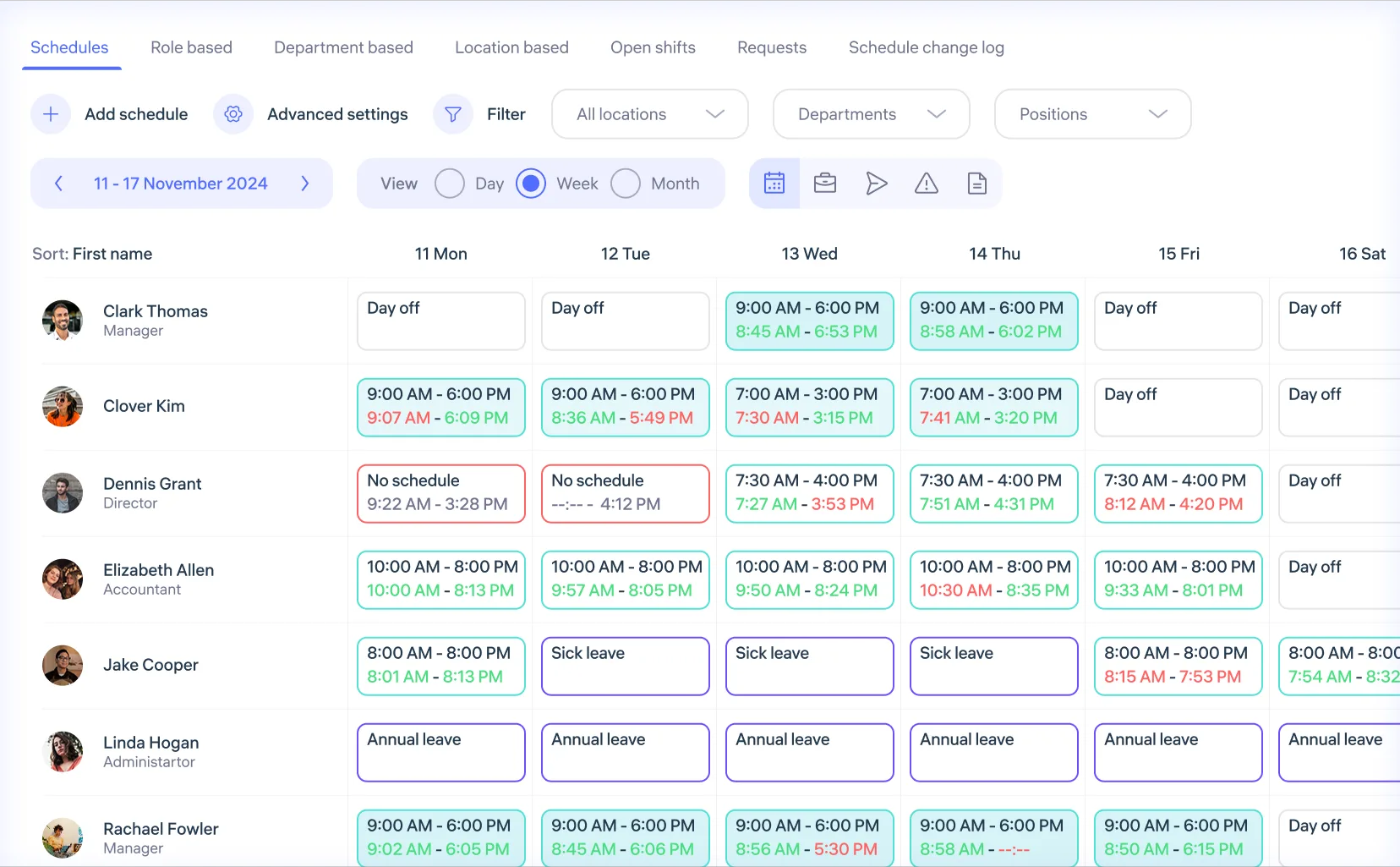
Various filters and view modes for easy navigation, changes on the go and efficient management of large teams, from 500 to 5000 employees
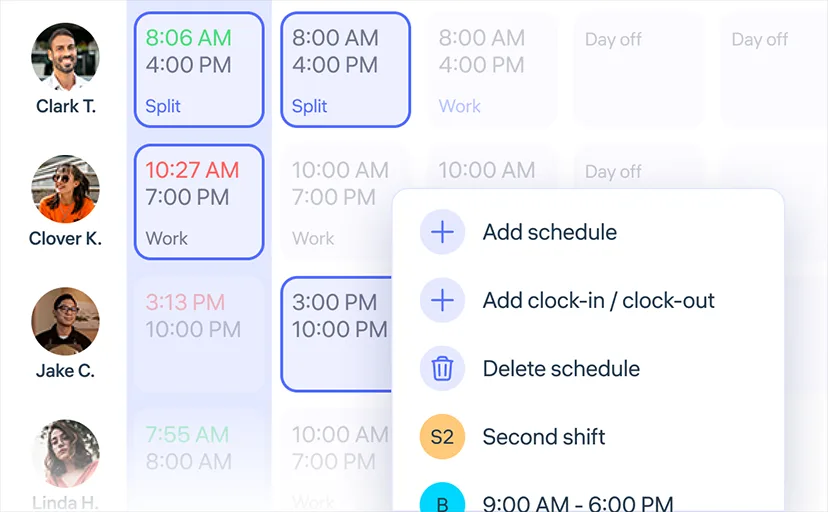
Bulk shift management
Efficiently organize shifts for hundreds of employees at once, accounting for individual preferences and location-specific requirements

Shift change history
View all shift changes and the administrators who made them
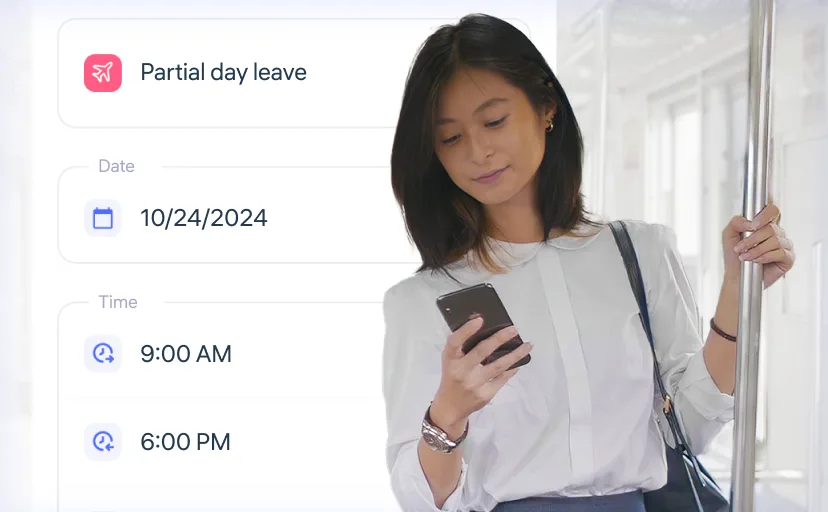
Shift requests
Employees can request their own schedule creation

Split shifts
Assign up to 4 shifts per day for a single employee across different locations and positions
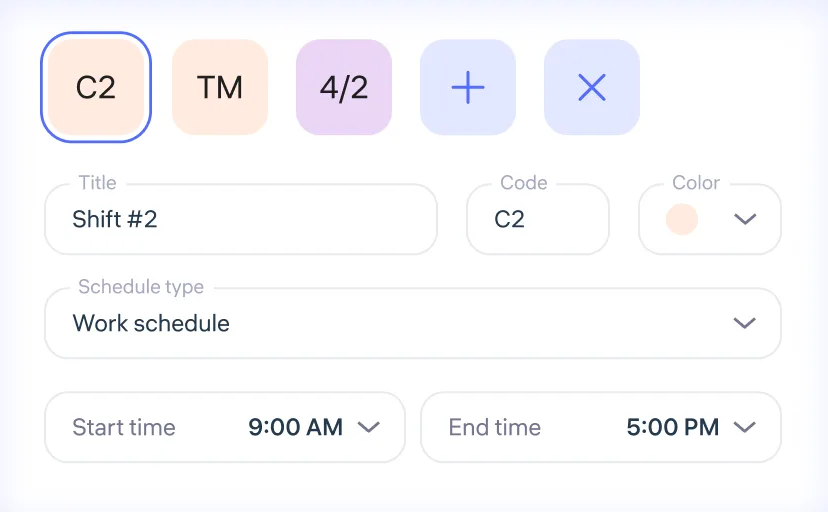
Templates management
Create unlimited shift templates and apply them to multiple employees on different dates in just a few clicks

Open shifts
Employees can join available shifts themselves
Business communication
Tools for convenient internal company interactions
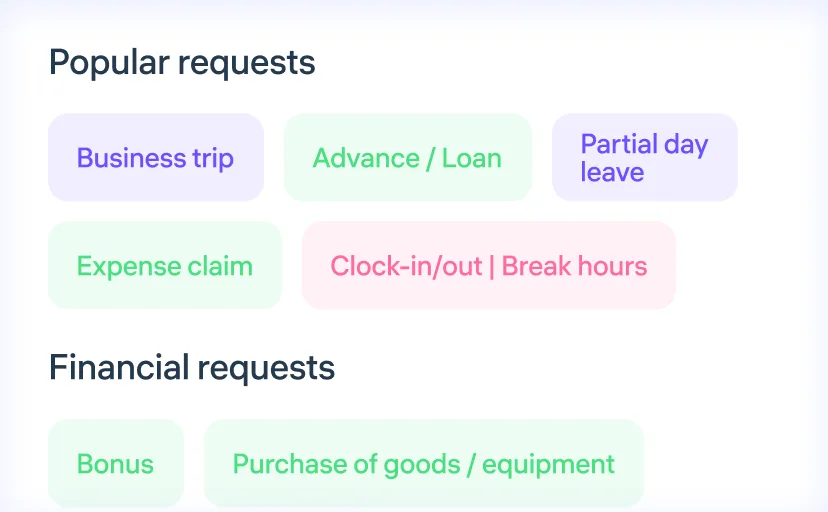
Over 30 types of routine requests
Requests for sick leave, business trips, advances, equipment purchases, vacations, schedule changes, and much more

Announcements and SOPs
Send news and important documents for review to all employees
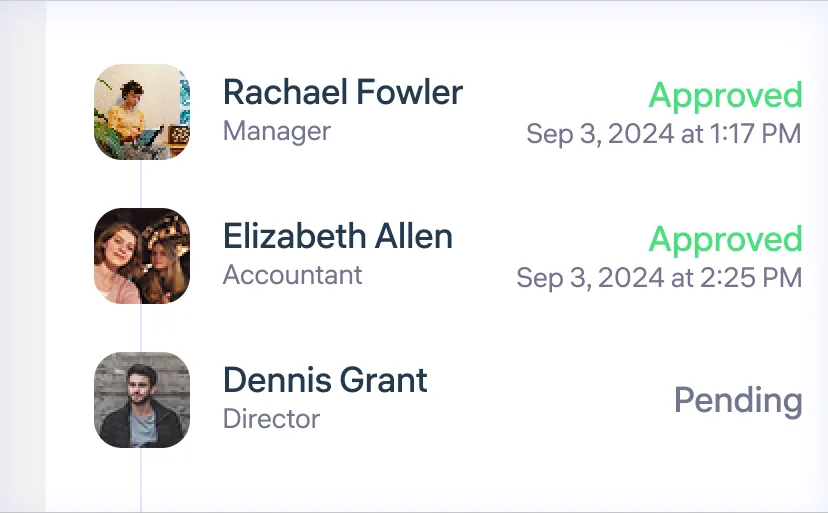
Sequential request approvals
Set approval rules based on position, department, and location

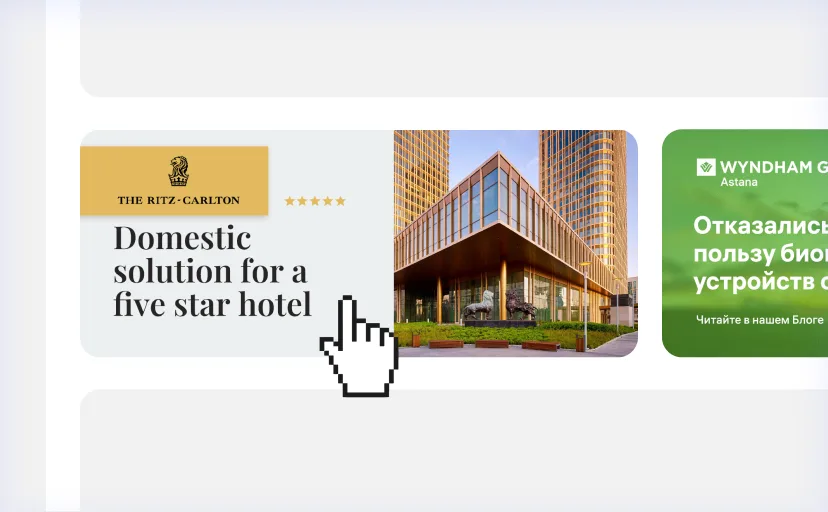
Banners for employees
Post corporate information using clickable banners to attract more attention
Built-in chats
Instant discussions of work issues with the ability to attach documents and photos

Polls
Engage your team in voting for decision-making, gathering feedback, or conducting anonymous surveys
Tasks
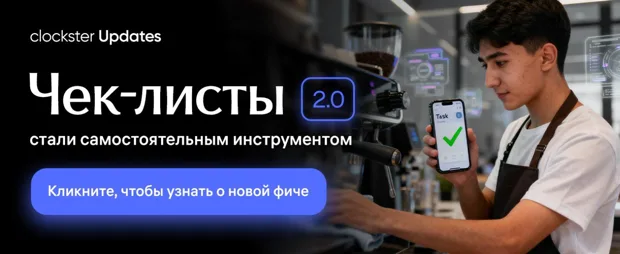
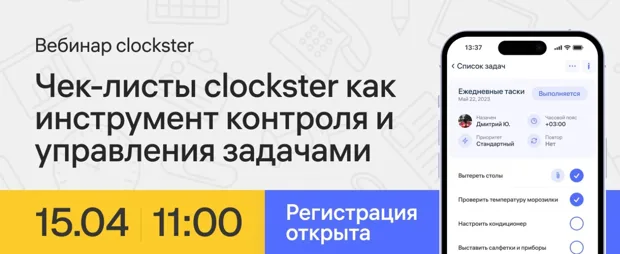
Optimize team performance with step-by-step checklists and task completion confirmation
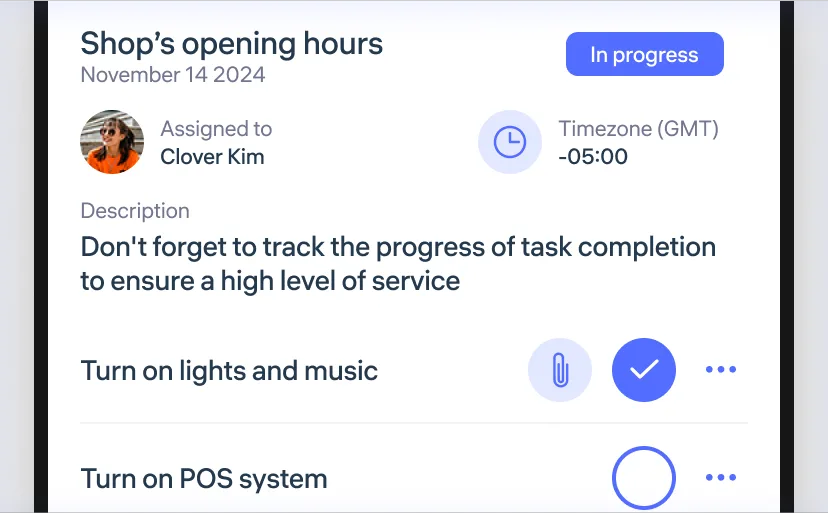
Task lists
Current tasks always at hand: from shift opening to meeting standards

Task scheduling
Set a convenient repetition schedule with specified intervals (daily, every other day, etc.)
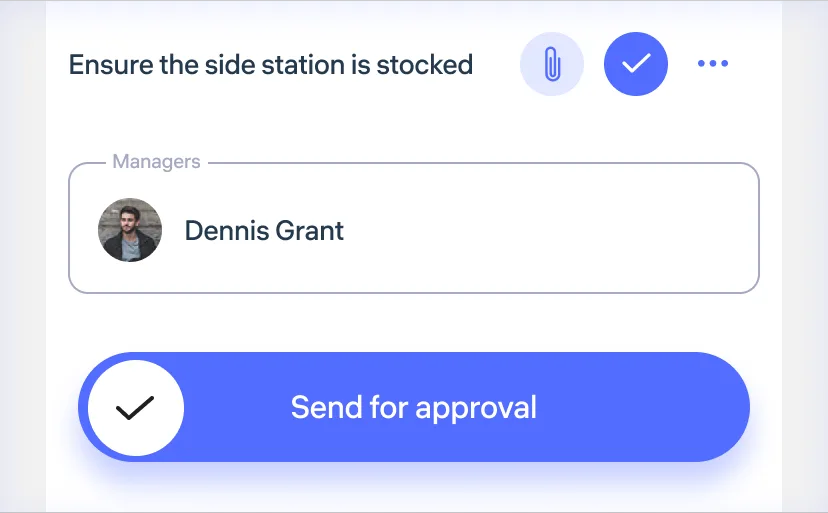
Submission for approval
Tasks can only be completed after manager approval (optional)

Real-time photos
Attach real-time photos when completing tasks, with no option to upload from the gallery
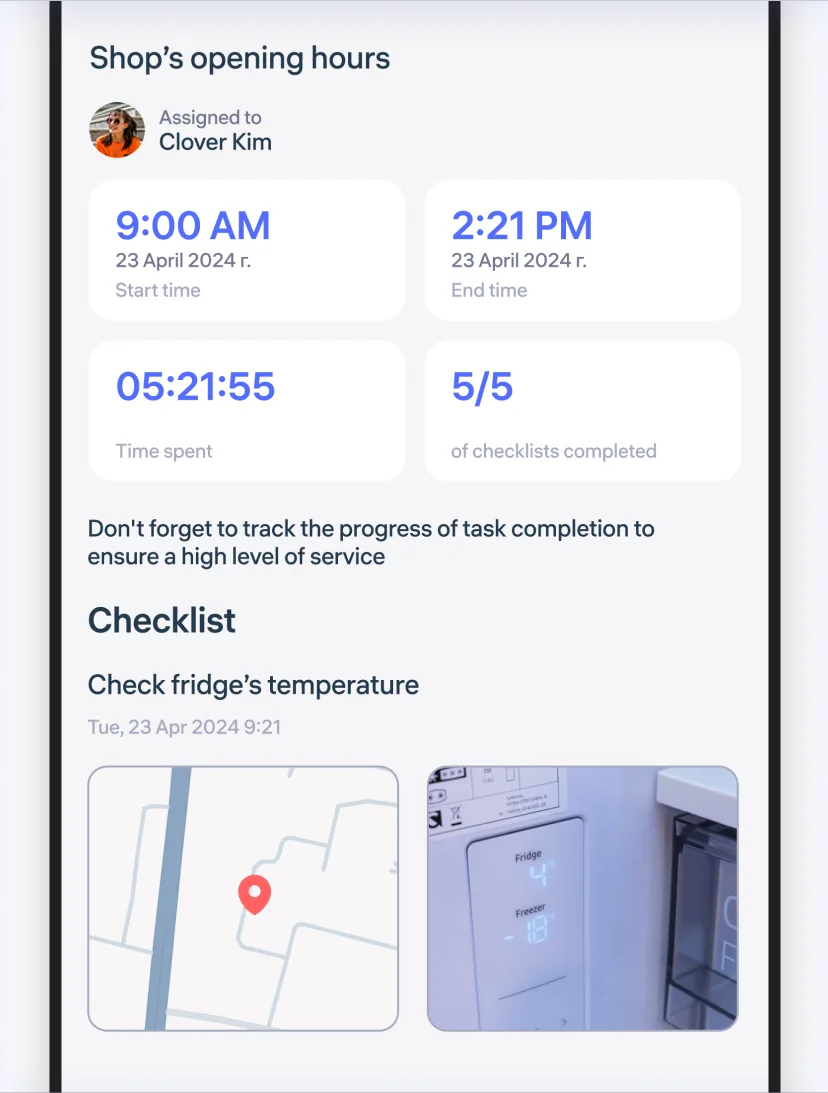
Task reports
Reports with geo-tags, photos, and dates in PDF format
Audit and Checklists
A tool that helps ensure all daily operations are performed according to standards
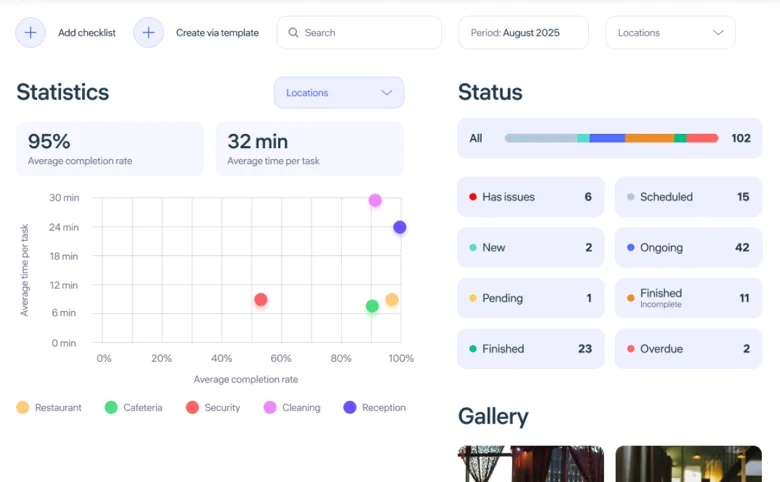
Dashboard and Gallery
Displays statistics, task statuses, and photo reports in real time for instant detection and resolution of potential issues

Different Answer Types
From warehouse inspections to hall cleanliness checks and office safety — managers immediately see task results
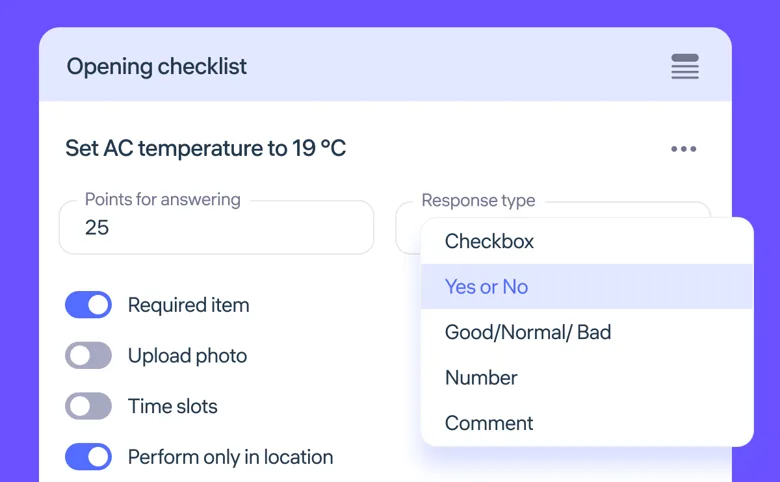
Flexible Template Customization
Checklists can be assigned by departments, locations, or positions, with deadlines, repeat cycles, priorities, photo requirements, or manager approvals

Application in Various Fields
Each checklist item can be configured for the required action: checkmark “done,” yes/no, good/bad, number (e.g., product quantity), or comment only
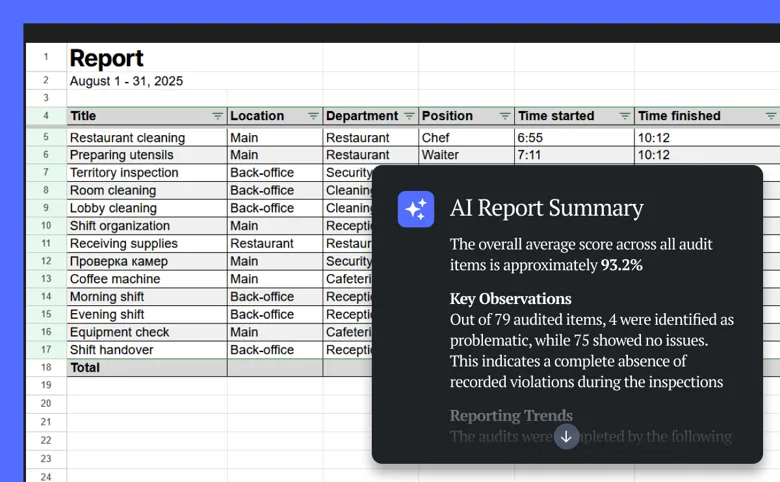
AI Report Analytics
The built-in AI assistant analyzes reports, detects errors, and highlights what managers should pay attention to

Passing Scores
Each checklist item is evaluated in manager-defined points, the system calculates the total, and the checklist is considered completed only when the score is reached
Automatic payroll calculation
Accurate calculations based on transparent attendance and working hours data, ensuring fair payments
Tax, rates, night hours, and overtime calculation
Set the rates for regular and night hours, overtime, weekend hours, as well as fine charges to automatically calculate and generate payslips on the go
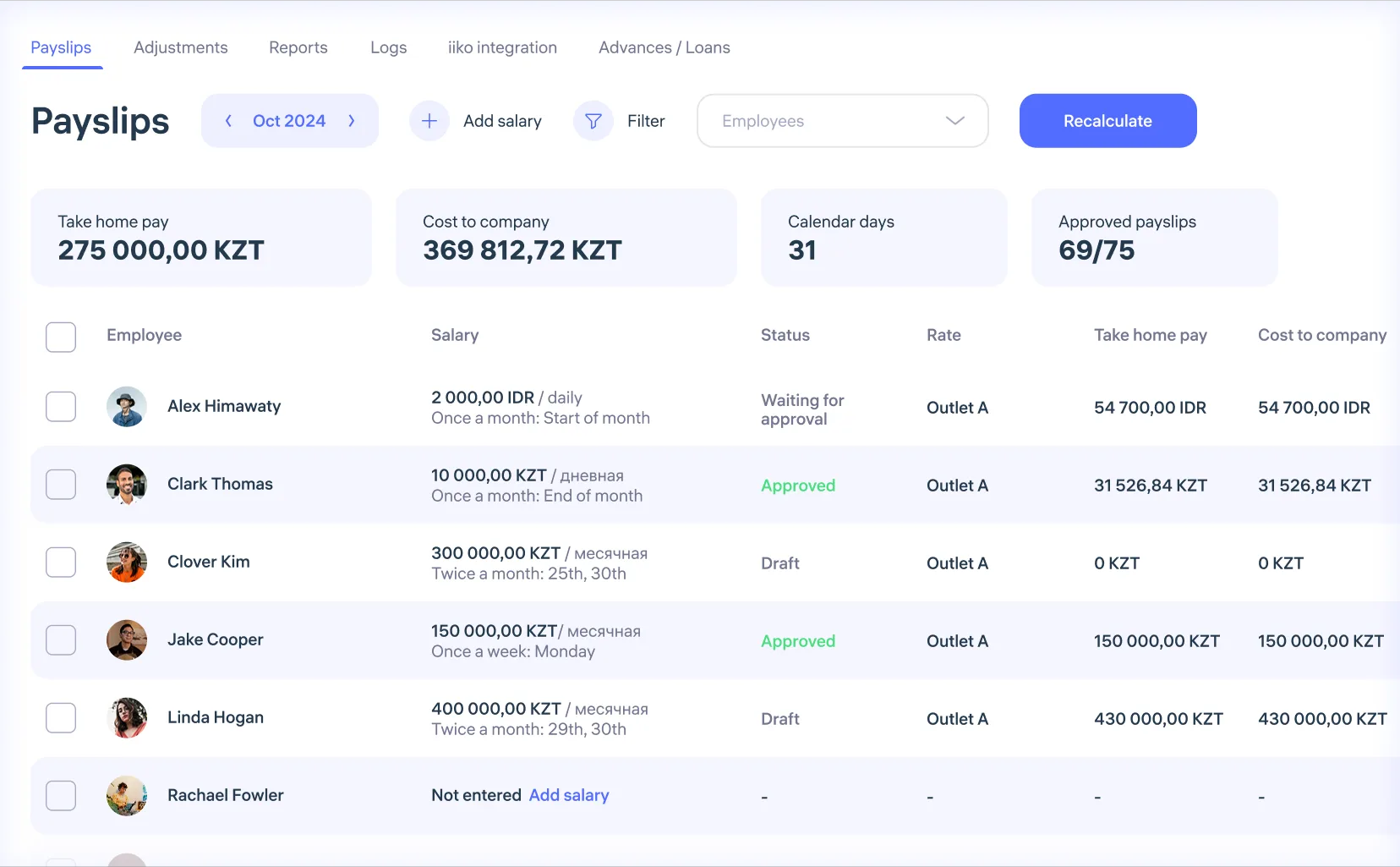

On-the-fly payslip editing
Easily adjust working hours and schedules directly in the receipts for precise payroll recalculations

Employee payslips
Enhance payroll transparency through automatic payslip sending to employees
Employee database
Manage employee profiles, add, and edit data
Employee profile
Detailed information about every aspect of employee work, including attendance, shifts, task completion, and productivity metrics.
Clockster provides full control and reporting, allowing managers to monitor employee performance, identify trends, and make informed decisions.
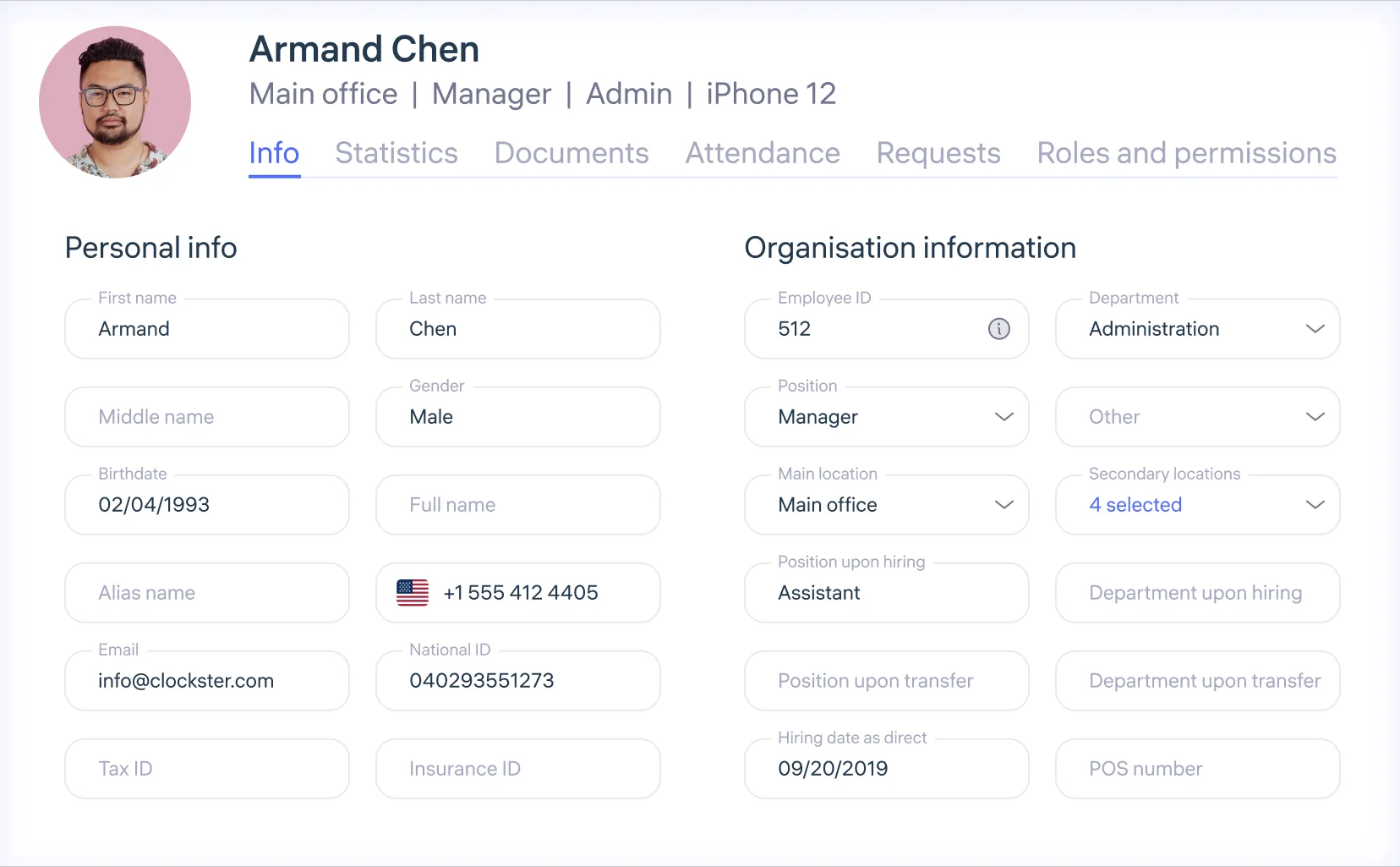

Employee statistics
Data on age, gender, contract types, and locations

Easy employee addition
Employees can be added to the system through an invitation link

Roles and permissions
Configure system access for managers based on their roles and responsibilities
Reports and analytics
Flexible and detailed reports on attendance, tasks, and salaries
Statistics
Track efficiency with detailed statistics — Top-10 most punctual employees, latecomers, and those who leave early, with percentage indicators across the company
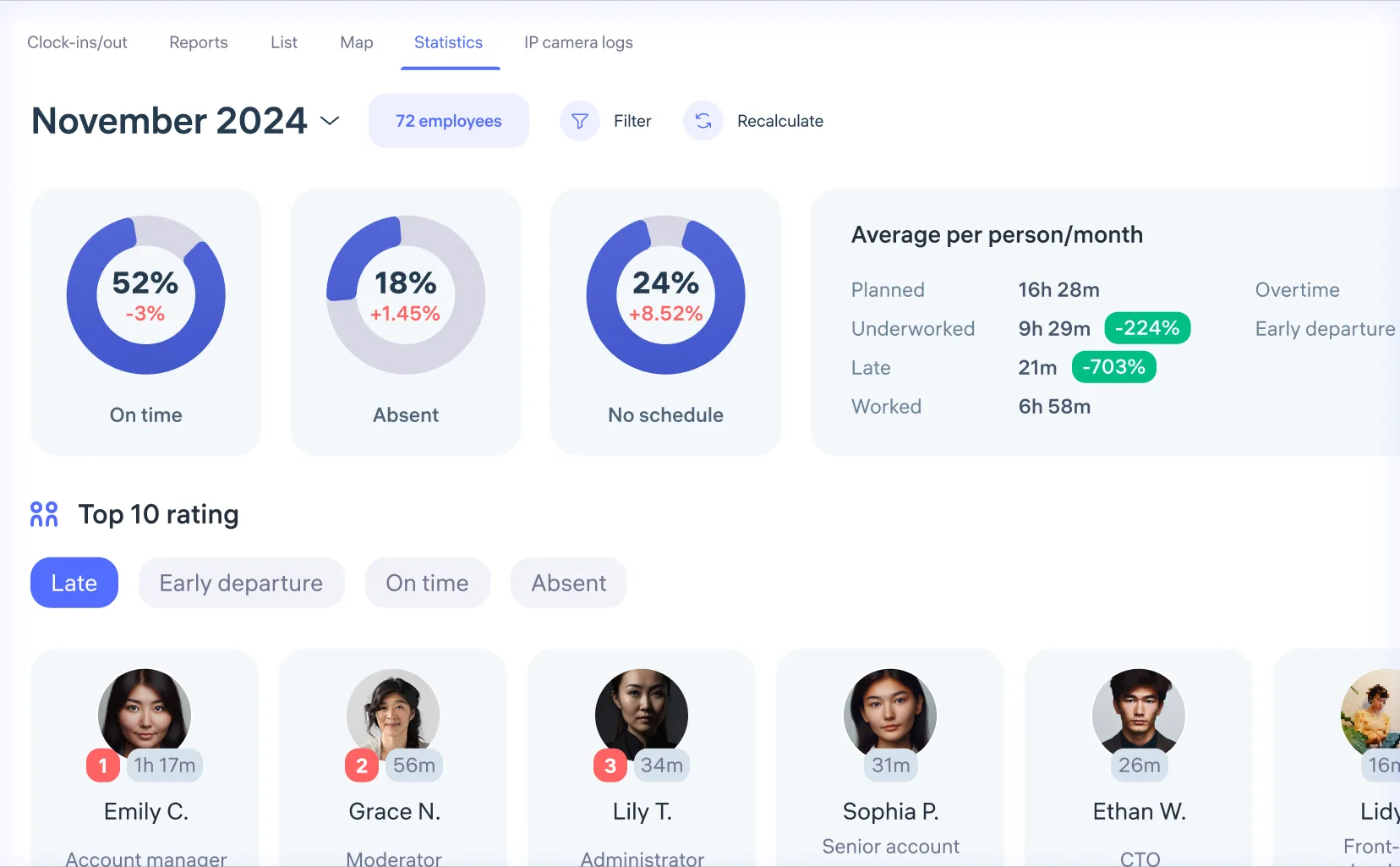

Templates and filters
Use ready-made templates for timesheets, absence tracking, and other parameters

Reports for any parameters
Use an extensive set of parameters to create reports perfectly suited for any task


API for third-party systems
Integrate clockster with 1C, iiko and other systems for seamless data exchange and full process automation
Attendance tracking and timesheets
Get accurate data on employee check-ins, check-outs, and breaks
 Mobile application
Notifications
 Geofencing
Anti-fraud
 Biometric hardware
Excel reports
Flexibility in shift management
Easily create schedules tailored to any type of work and specific conditions
 Easy creation of complex schedules
Various filters and view modes for easy navigation, changes on the go and efficient management of large teams, from 500 to 5000 employees
 Bulk shift management
Shift change history
Shift requests
Split shifts
 Templates management
Open shifts
Business communication
Tools for convenient internal company interactions
 Over 30 types of routine requests
 Announcements and SOPs
 Sequential request approvals
 Banners for employees
 Built-in chats
Polls
Tasks
Optimize team performance with step-by-step checklists and task completion confirmation
 Task lists
Task scheduling
 Submission for approval
Real-time photos
 Task reports
Audit and Checklists
A tool that helps ensure all daily operations are performed according to standards
 Dashboard and Gallery
Different Answer Types
 Flexible Template Customization
Application in Various Fields
 AI Report Analytics
Passing Scores
Automatic payroll calculation
Accurate calculations based on transparent attendance and working hours data, ensuring fair payments
 Tax, rates, night hours, and overtime calculation
Set the rates for regular and night hours, overtime, weekend hours, as well as fine charges to automatically calculate and generate payslips on the go
On-the-fly payslip editing
Employee payslips
Employee database
Manage employee profiles, add, and edit data
 Employee profile
Detailed information about every aspect of employee work, including attendance, shifts, task completion, and productivity metrics.
Clockster provides full control and reporting, allowing managers to monitor employee performance, identify trends, and make informed decisions.
Employee statistics
Easy employee addition
Roles and permissions
Reports and analytics
Flexible and detailed reports on attendance, tasks, and salaries
 Statistics
Track efficiency with detailed statistics — Top-10 most punctual employees, latecomers, and those who leave early, with percentage indicators across the company
Templates and filters
Reports for any parameters
 API for third-party systems

Tracking employee attendance has become much easier, and the administrative workload on the HR specialist has significantly decreased
This has allowed our team to more effectively address strategic tasks, improving the company’s overall operations
Olesya Dontsova
Deputy branch director in Semey

Previously, we had to manually monitor employee working hours and conduct regular checks
Now, clockster does this for us, providing detailed reports and statistics
Dinara Nuranova
Head of Human Resources Management Department at Green Clinic

Clockster is perfect for educational institutions where employees work hourly
The system automatically tracks each teacher’s working hours, greatly simplifying payroll processing and eliminating potential errors
Damir Bolat
General Director of GSC Study
We monitor attendance throughout the day, and in reports, we only take worked hours into account for salary calculation, especially for production where salaries are hourly
Galina Vasilyeva
Chief HR Manager of Vkusmart

Clockster tools help us strengthen discipline — the foundation of consistent service quality
Daily work with schedules, check-ins, timesheets, and requests has become easier and more convenient
Ainash Zharylgassynova
Deputy HR Director, The St. Regis Astana

After implementing clockster, employee discipline has significantly improved, and tardiness has decreased by 15%
Accurate payroll calculation has become a reality, and the HR manager saved time previously spent on control and data analysis
Stakhan Abzal
HR Manager of Aiplus educational center chain

Clockster has greatly simplified and automated attendance tracking and access control processes
We no longer spend time manually filling out reports and verifying timesheets. This reduces the likelihood of errors and frees up resources for more important tasks
Zhanar Zhambulova
HR Director of Ritz Carlton Astana

After implementing clockster, the speed of notifying staff about schedule changes has improved
We also actively use the Task Manager and Announcements functions for the entire staff
Aleksandra Chernushenko
Senior HR Manager of the Mechta store chain branch

Clockster helps us stay on top of all operational processes without losing the pace of business growth
For us, it is an additional team member who is always available, always helpful, and never forgets or loses anything
Zebra Coffee HR Team

Clockster increases transparency and builds trust. Employees see that the system works fairly
For our company, it is not just a service, but a reliable assistant in daily HR processes
Diana Melikova
HR Director, Chayla Group

With dozens of laboratories, effective management is only possible through systematic processes
Clockster strengthened the existing system through transparent and unified rules without destabilizing it
Temirkhan Elshibayev
General Director, RGP RVL

Clockster is like an employee who cannot be replaced. It doesn’t quit, doesn’t get sick, and always knows everything about the team
I can’t imagine how many human resources, money, and time it would have taken to manage the processes that Clockster has handled for us all these years
Sherali Berdibayev
Founder, Breadly

Clockster has become an important partner for us, helping us move forward by freeing up time for strategic tasks
In the HoReCa industry, where schedules change frequently, Clockster makes processes easier for employees through transparency
Zhazira Serik
HR Manager, Hilton Garden Inn Astana