
How do I create a Rate in Payroll?
What are rates and how do they work?
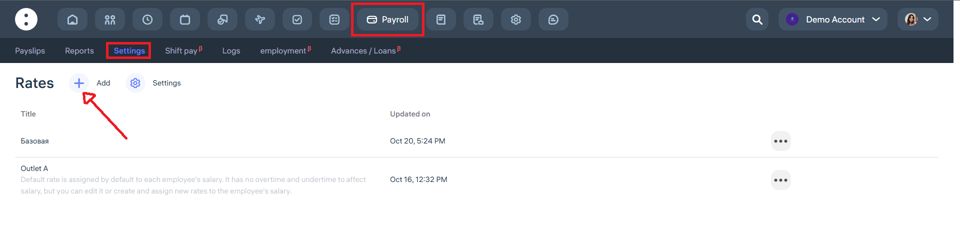
Rates are rules for calculating salaries based on the hours worked.
They are used to calculate payment for regular hours, overtime, undertime, night shifts, and public holidays.
The base rate is always equal to 1 and serves as a reference point.
Other rates act as multipliers, which are applied to the employee’s basic hourly wage.
How is overtime calculated?
Examples:
If an employee’s hourly rate is $10 and the overtime coefficient is 2,
then each overtime hour is paid as: $10 × 2 = $20If the overtime coefficient is 0.5,
then each overtime hour is paid as: $10 × 0.5 = $5
How are night hours and public holidays calculated?
The calculation follows the same logic:
hourly rate × corresponding coefficient
Example:
Hourly pay — $10
Public holiday coefficient — 3
Payment per hour on a public holiday = $10 × 3 = $30
For more detailed instructions on how to use the Payroll module, visit: https://app.clockster.com/help/payroll-for-administrators-help/guide-to-using-the-payroll-module
Updated at