
How to Sign a Document via EDS (eGov)
To sign a document in Clockster using your Electronic Digital Signature (EDS):
Open the document in the “Documents” section.
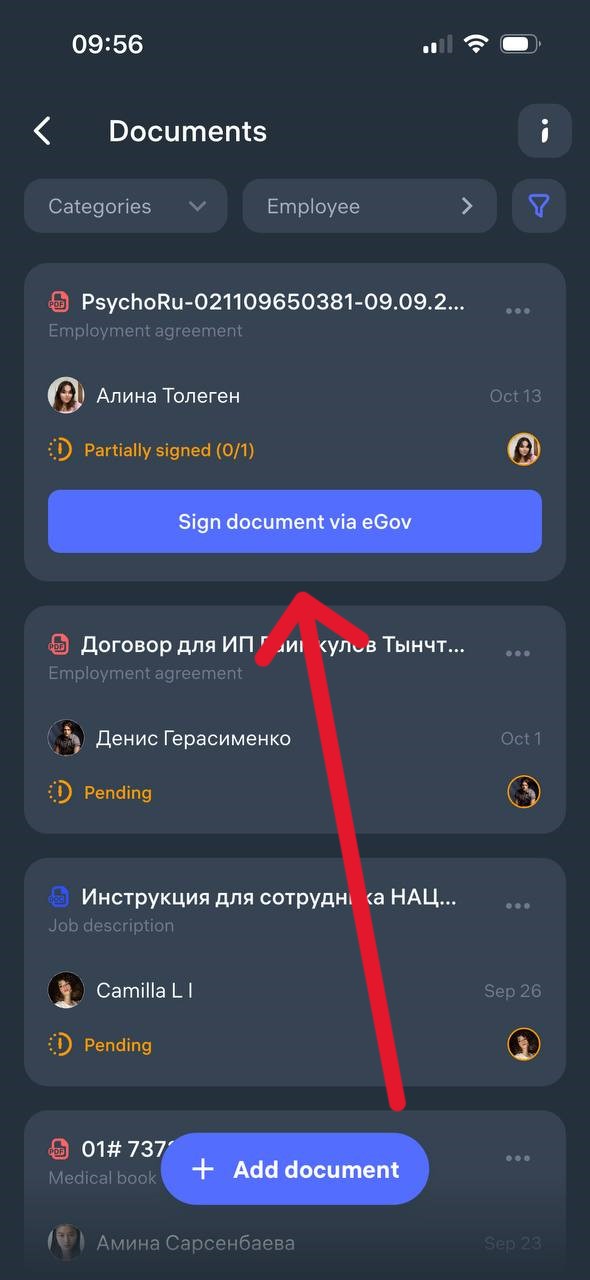
Click “Sign document via eGov.”
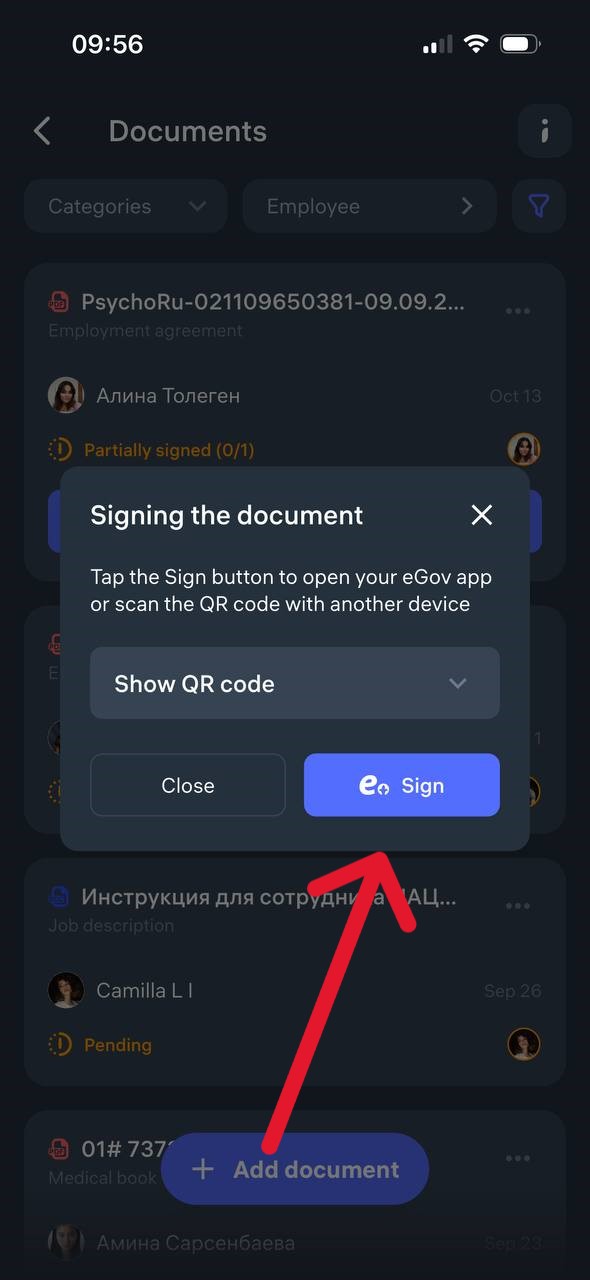
3. In the pop-up window, click “Sign” again.
4. You will be automatically redirected to the eGov mobile application.
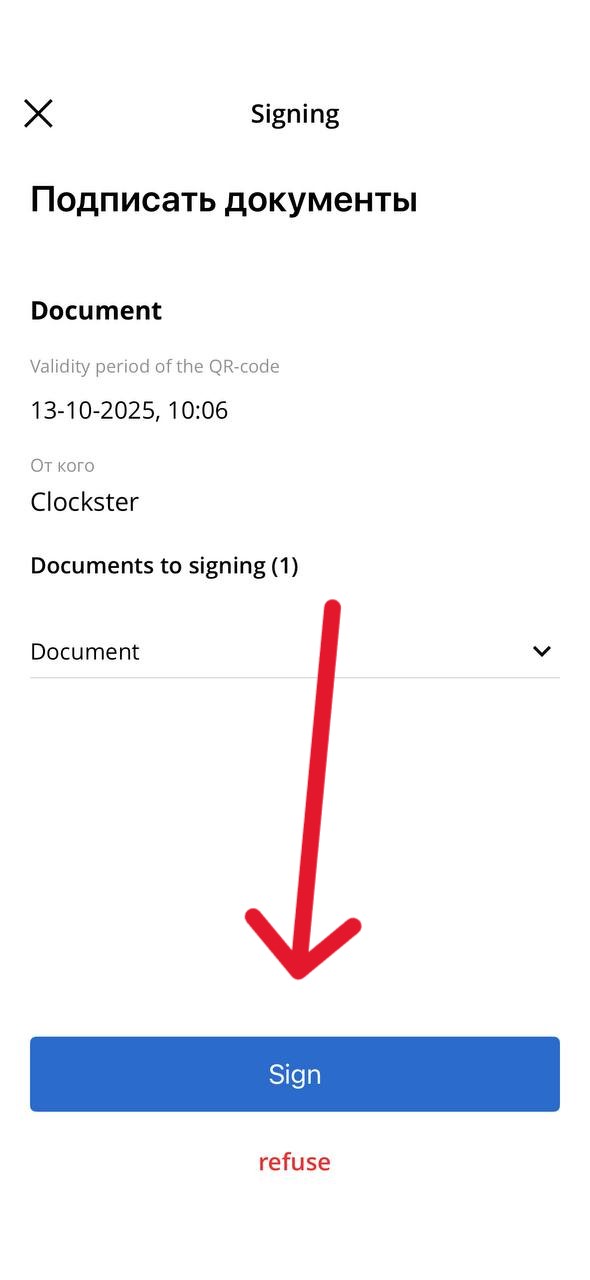
5. Review the data and confirm the signing by entering your EDS PIN code or using biometrics.
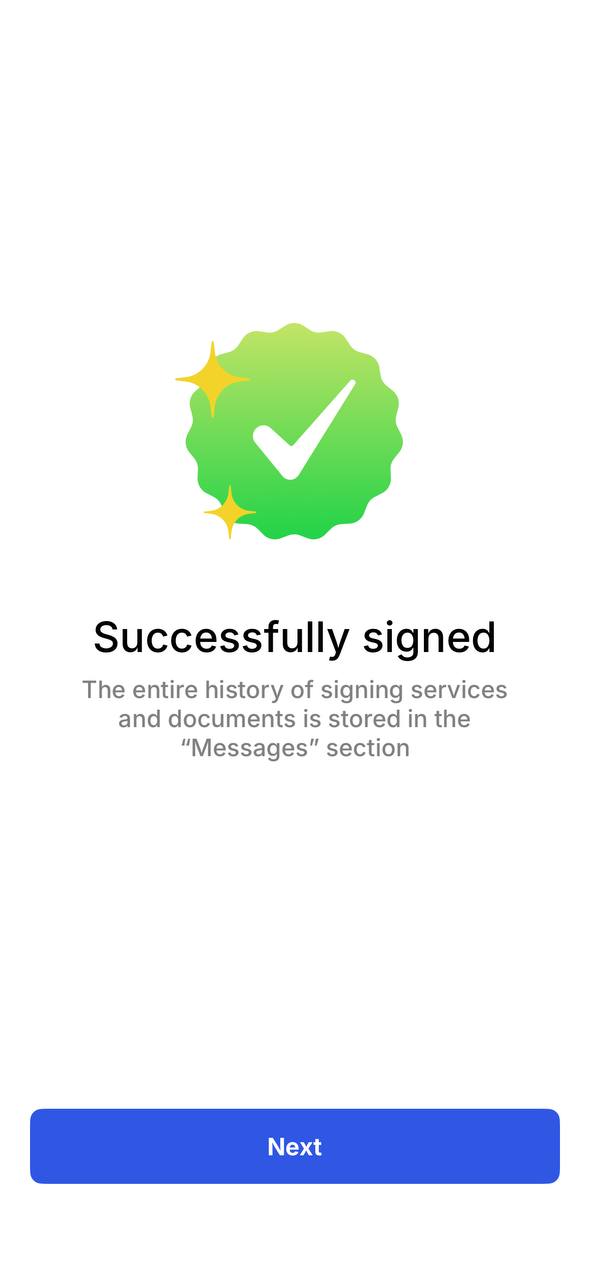
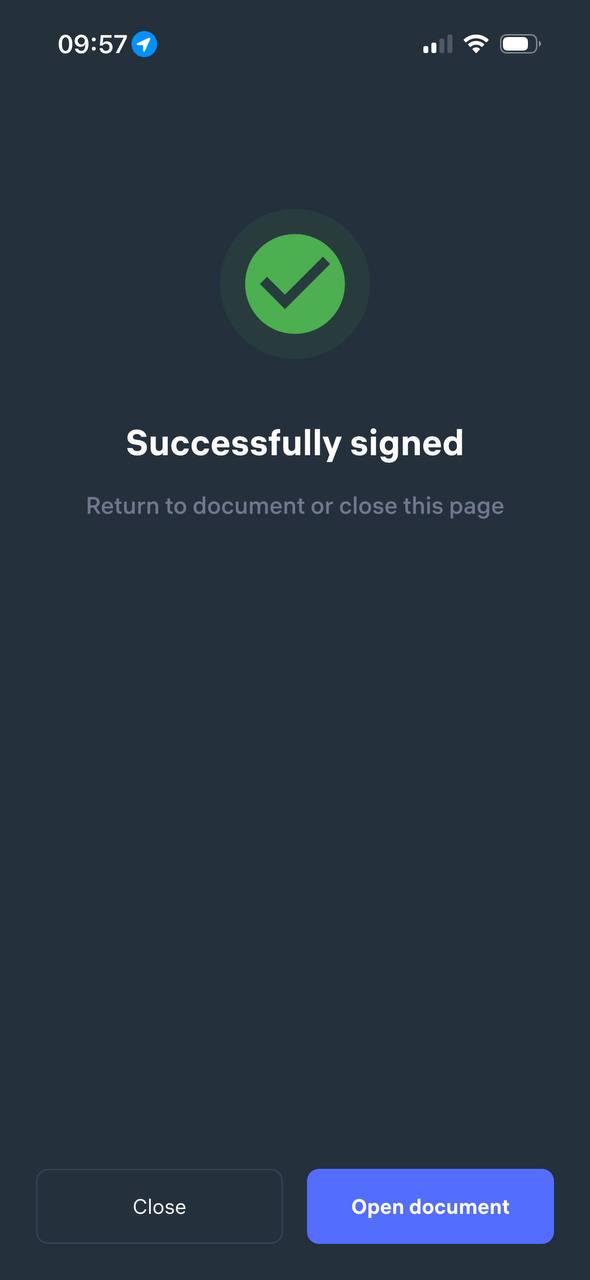
After successful confirmation, you will see the message “Successfully signed” and the document status in Clockster will change to “Successfully signed.”
Updated at