
Where can I upload a photo of an employee so that the device can recognize him?
To upload a photo:
Navigate to Employees section.
Click on employee’s name or click on (…) -> Edit.
Find Face photo (biometric devices) section on the bottom of the page and click on +
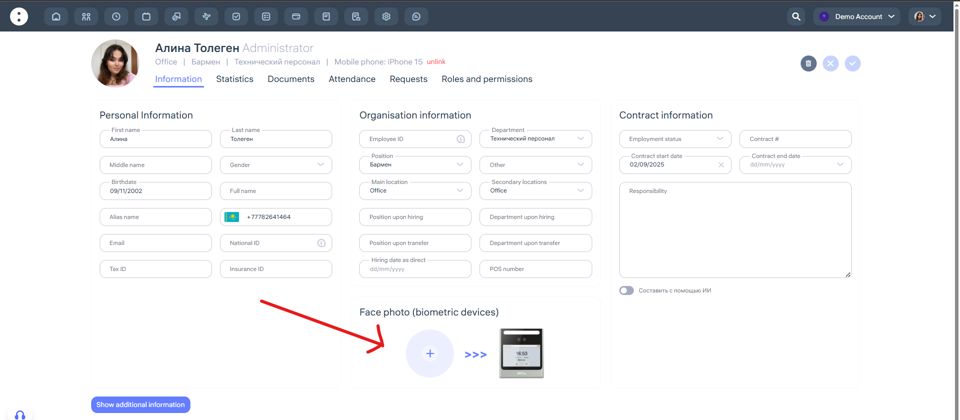
Note that:
File format and size:
JPG or PNG
Size: up to 5 MB
Recommended resolution: 480×640 px or higher
The image must be clear and high-quality, with the face occupying 70% of the frame.
Updated at