
It doesn’t find the address of the building.
If the address does not appear in the list when creating a new location in Clockster, you can manually enter the coordinates — latitude and longitude.
How to find the coordinates:
Open 2GIS or Google Maps.
Find the required building or point.
Right-click on the desired spot and select “What’s here?” or a similar option.
Copy the coordinates that appear — for example:
47.094681, 51.923315.
How to enter coordinates in Clockster:
Go to the Admin Web Dashboard.
Navigate to Settings → Categories → Locations, and click “+” to add location.
In the pop-up window, click on the location logo
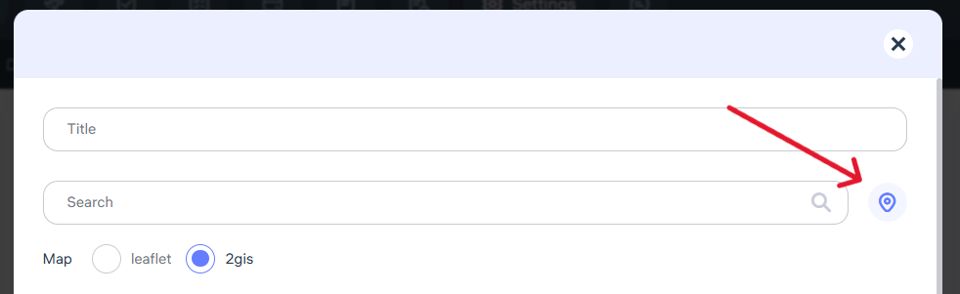
4. In the corresponding fields, paste the coordinates — for example: 47.094681, 51.923315.
5. The system will detect the location based on the coordinates and display it on the map.
Updated at