
What is a Split shift and how to use it?
A split schedule allows you to set several separate work shifts within one day.
This is useful when an employee works with breaks — for example: 09:00–11:00, 12:00–14:00, and 15:00–17:00.
In the Mobile App:
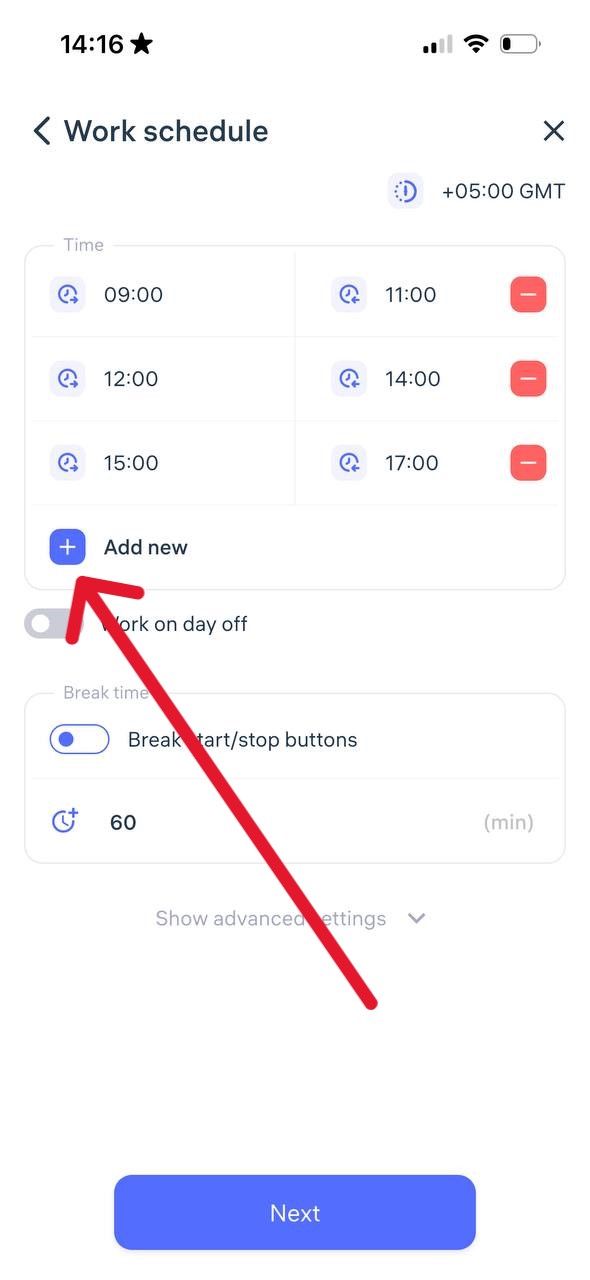
Go to the Work Schedule section.
Set the first shift by specifying its start and end time.
Tap + Add new to set the next shift.
You can add up to 8 shifts per day.
In the Web Version:
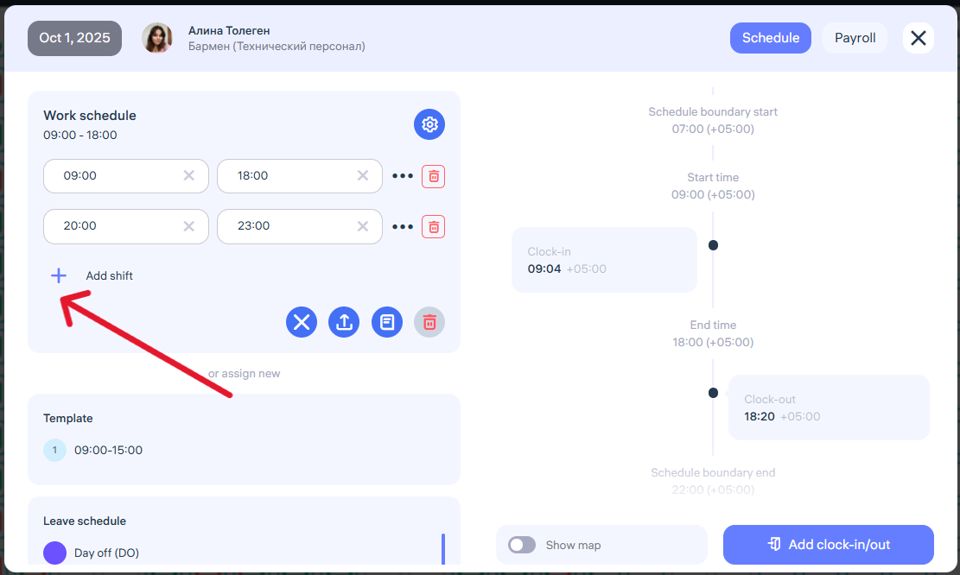
Go to the Schedules section, select the desired employee, and click on a day cell to edit that day’s schedule (Photo 1).
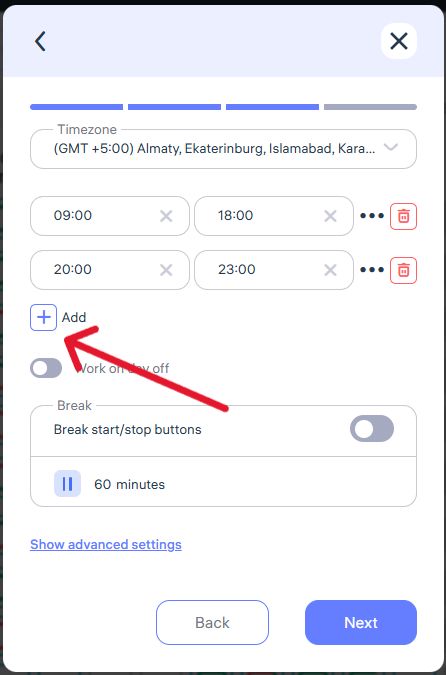
or Click + Add Schedule.
Choose the type Work Schedule.
Set the first shift (Photo 2).
Click + Add Shift to set additional ones.
You can set up to 8 shifts per day.
How does it work?
When clocking in, the employee selects which shift to start or end — this can only be done via the mobile app or Clockster Kiosk.
In the reports, the total working time per day is displayed regardless of the number of shifts.
Updated at
Related questions
- What types of schedules are there?
- How to create a schedule 5/2 or 6/1? / Schedule – Days of the week.
- How to create a schedule 2/2 or 14/14? / Schedule – shift schedule.
- How do I create a day off/holiday/sick day schedule? / Leave schedule
- How do I create a schedule without a specific time period? / Free schedule