
What’s an additional record and how to use it?
An additional clock-in is a special type of attendance mark that allows an employee to send an extra location update during the workday. It is only available after the employee has marked “Clock-in” but before they have marked “Clock-out.”
When it is used:
When it’s necessary to send an intermediate clock-in during the workday.
When the company requires tracking location throughout the shift.
When an employee moves between different work sites.
How to create an additional clock-in?
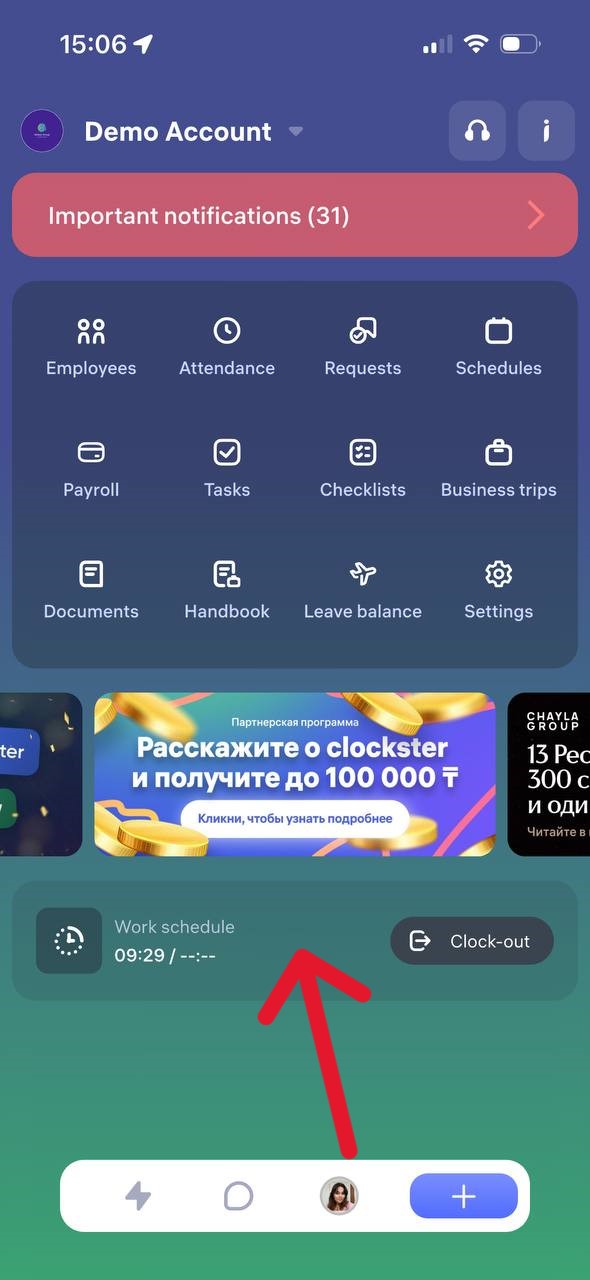
Open the Clockster mobile app.
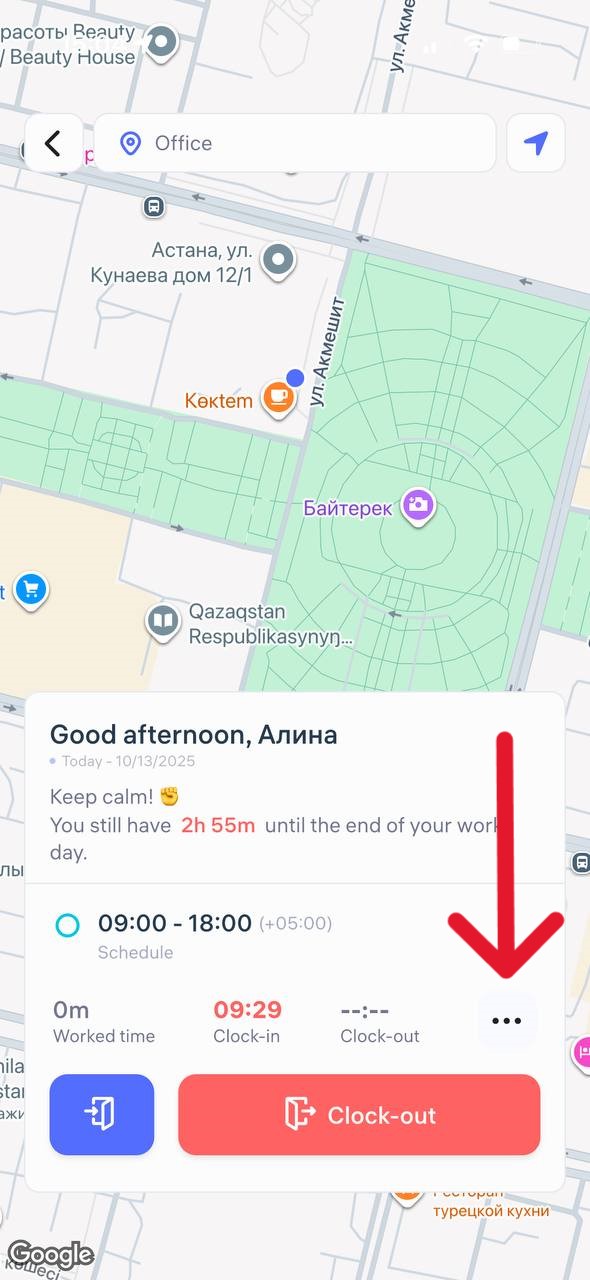
After marking “Clock-in,” a button with three dots (⋯) will appear on the main screen next to the main buttons.
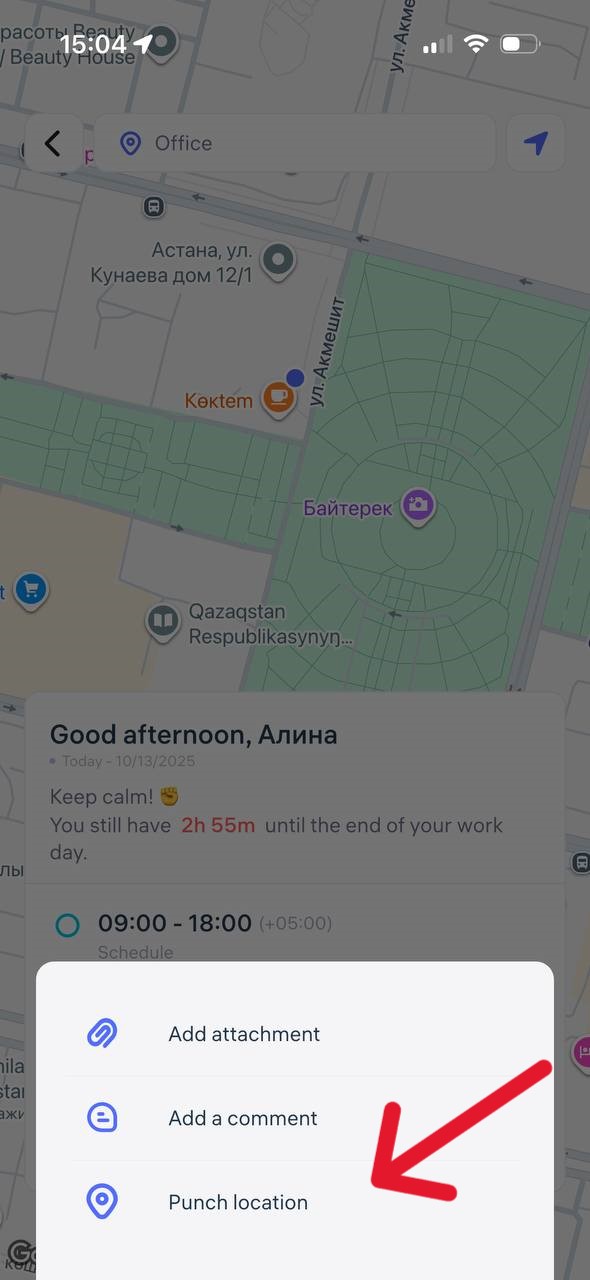
Tap it and select “Punch location”
Add a comment (if needed).
Attach a photo or file, if required.
The system will automatically record your location and the time of the check-in.
Important
The additional clock-in is treated as a “Clock-in” type but does not close the workday.
It does not replace the main “Clock-out” mark.
Having an additional clock-in does not affect the calculation of working hours.
Updated at
Related questions
- The app is properly installed, I am inside my account. How do I make clock-ins/outs?
- What do I need for the mobile app to work properly? / Geolocation is not working correctly.
- What is located on the Home page?
- Where can I get the “Invitation code”?
- Notification: “Account does not exist or the password is incorrect”.