
Setting Up Leave Balances in Clockster
Clockster allows you to set predefined limits for employee leave days. This feature automates leave management and eliminates the need for manual calculations.

How It Works:
Set limits for each type of leave (annual, personal, unpaid, etc.) — either monthly or yearly.
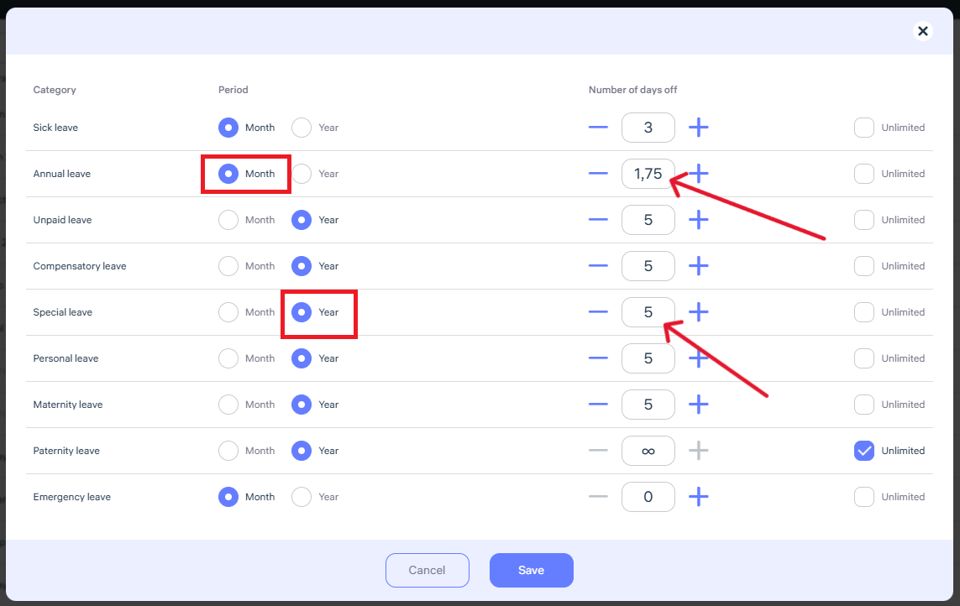
The system begins counting available leave days from the employee’s hire date.
When creating a leave request:
The employee immediately sees how many days are available.
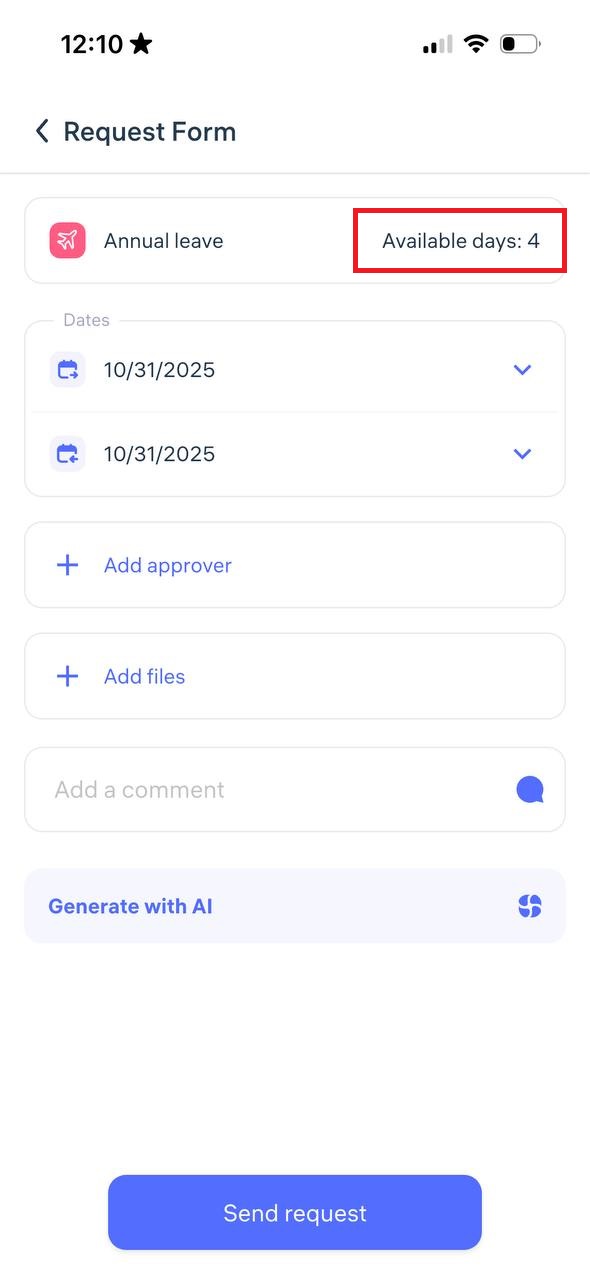
If the employee tries to exceed the limit, the system will not allow the request to be submitted.
Benefits:
No need to manually track leave in spreadsheets.
Fewer errors and unnecessary communication.
Ensures strict compliance with company leave policies.
Example:
If the limit is set to 2 annual leave days per month, and an employee has been working for 3 months, they will be able to request no more than 6 days.
Everything is clear, transparent, and fully automated.
Updated at