
How Can I Request a Schedule Change
If you need to change your work schedule, you can create a request through the Clockster mobile app.
Please note: the availability of this feature depends on your company’s settings. If you don’t see the required request type, contact your administrator.
Open the Clockster mobile app, tap the “+” button at the bottom of the screen, and select “Schedule.”
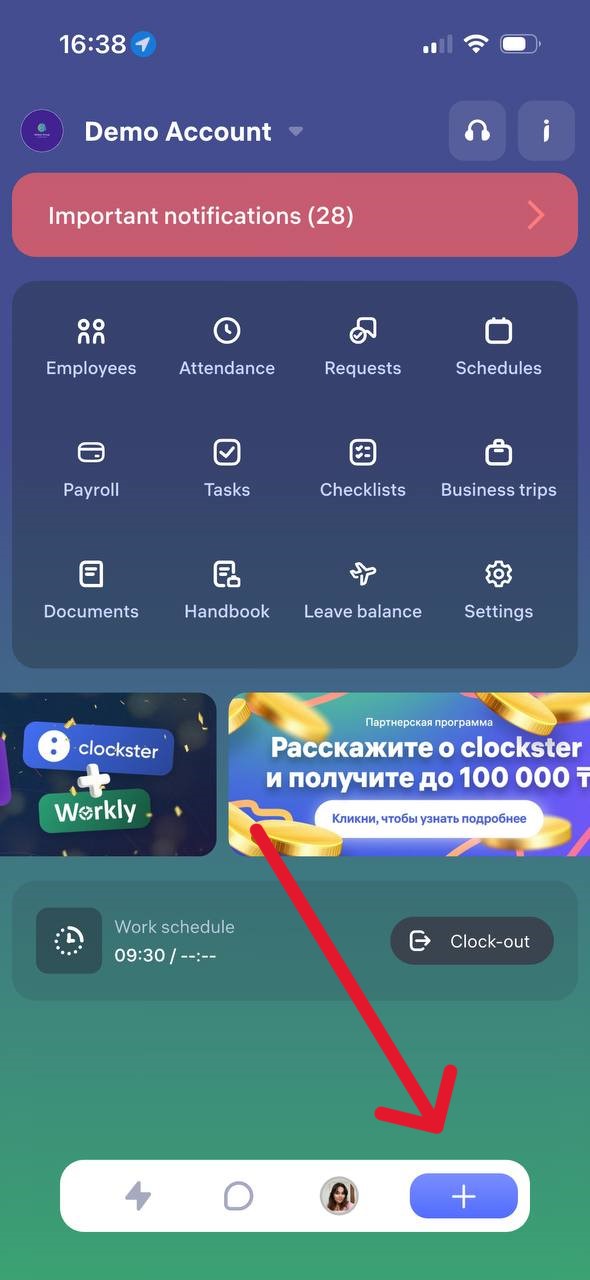
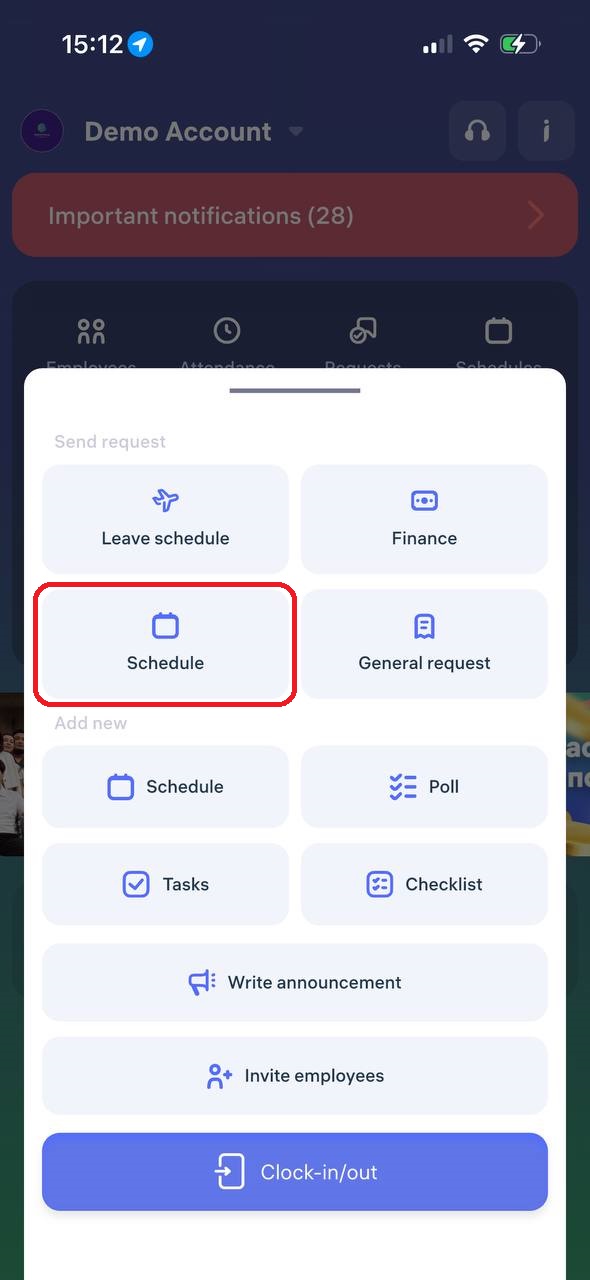
2. Specify the days you want to adjust or add to your work schedule. You can either:
Select a period, or
Set specific dates
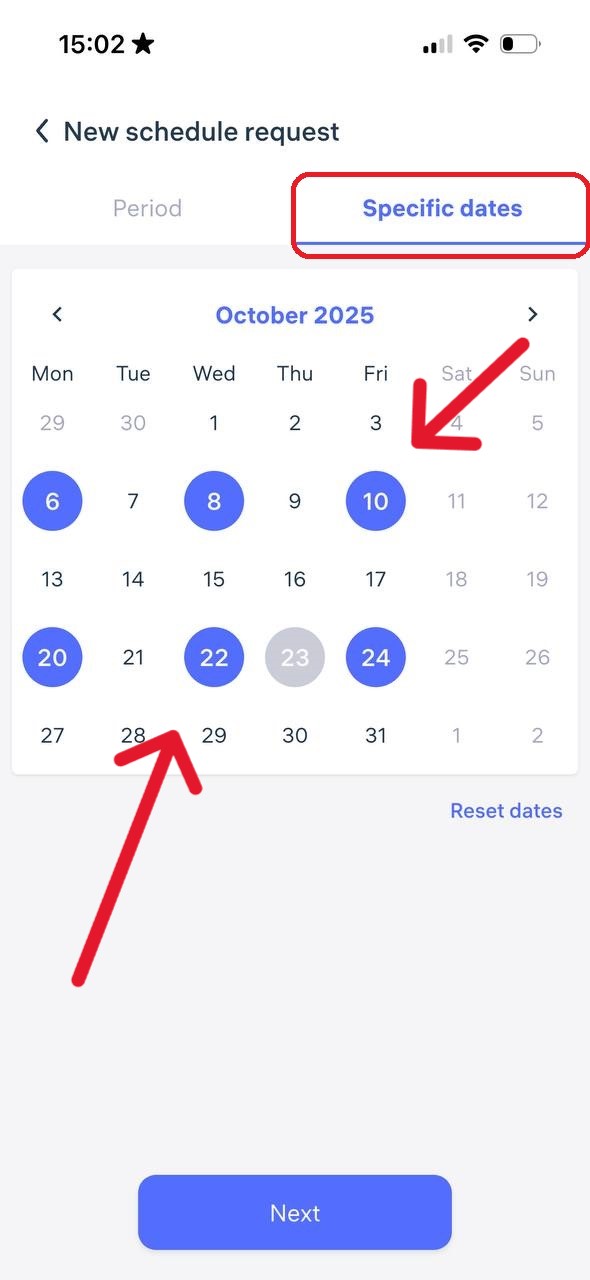
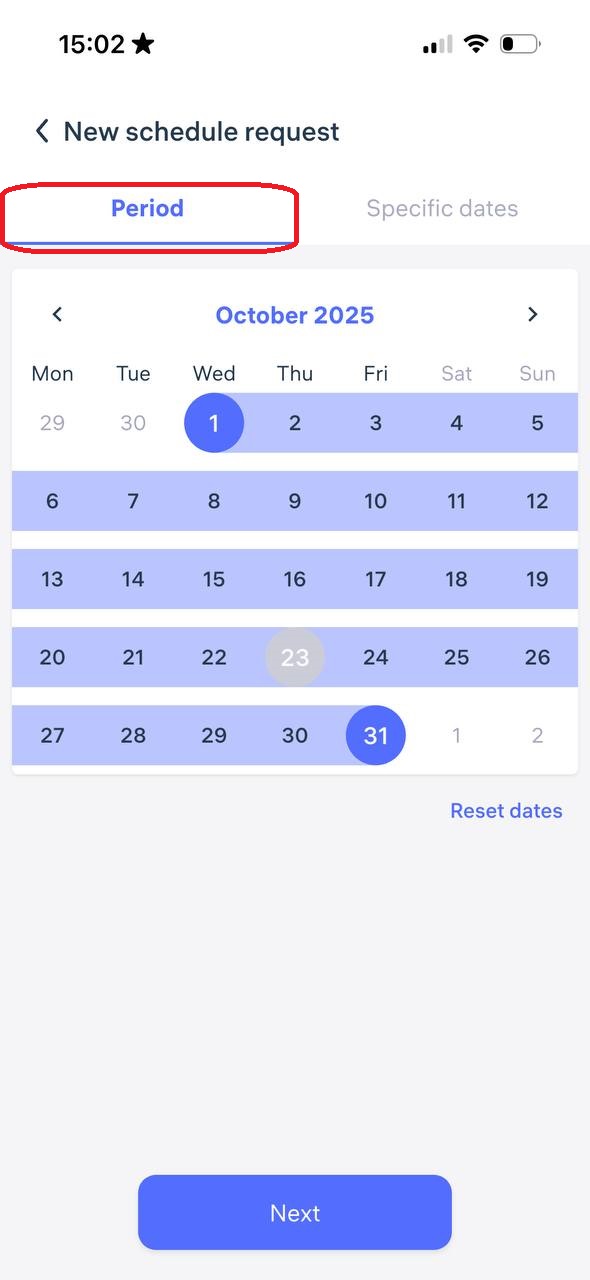
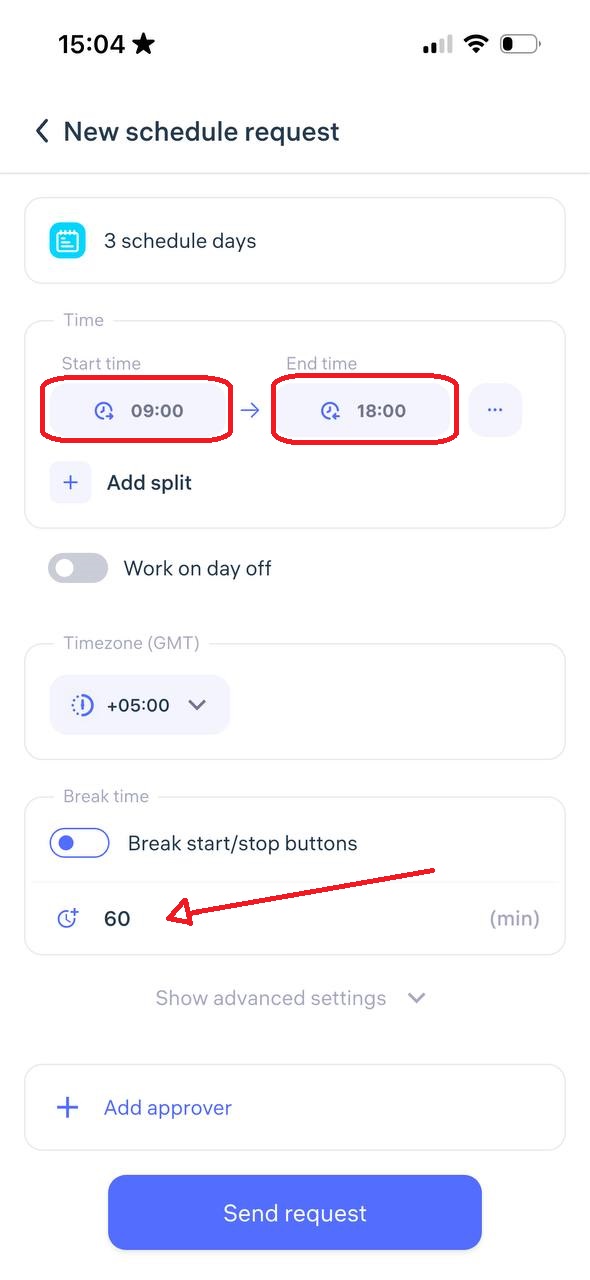
Be sure to set the start time and end time of your workday, specify your lunch break (this time is automatically deducted from your total working hours), and choose the manager who should approve your request.
Review all the details, then tap “Send Request.”
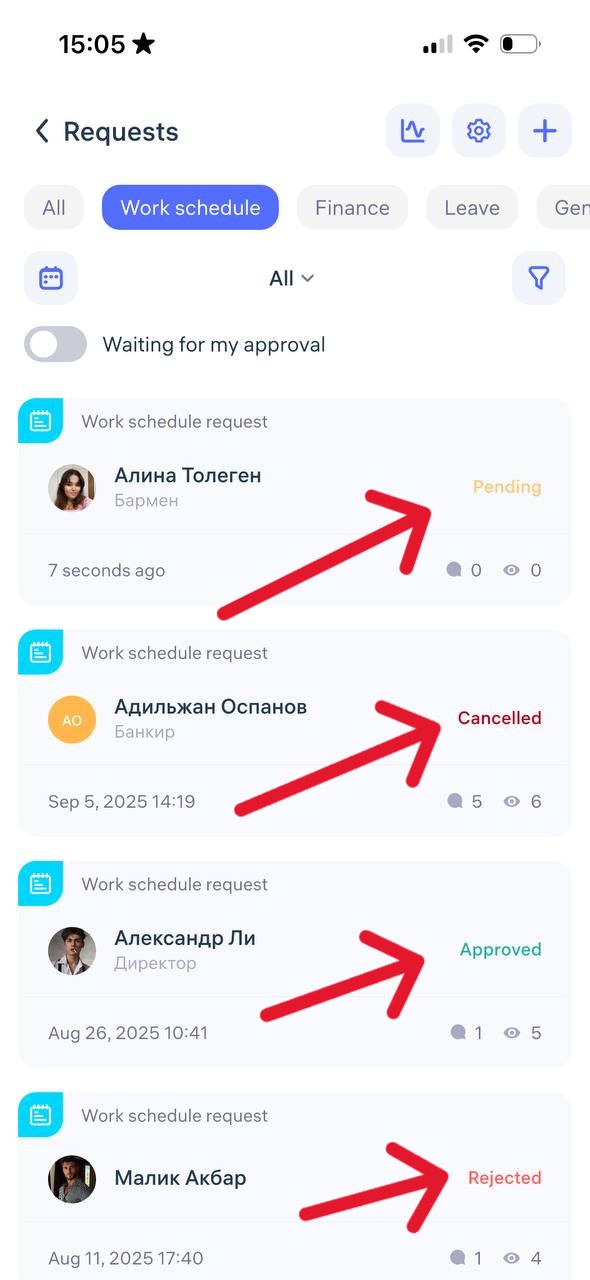
After submission, you can track the status of your request in the “Requests” section:
❌ Declined
🟡 Pending
✅ Approved
or Cancelled
Helpful tip:
If you know in advance that your schedule needs to be changed, submit the request as early as possible so that the administrator has time to approve it and include it in the calculations.
Updated at